How to Use LinkedIn to Find Local Business Owners (And Why It Often Fails) - With LocalPipe as Your Solution
Learn how to find local business owners on LinkedIn, why it fails, and how LocalPipe offers a better solution for accurate data and outreach.

Trying to find local business owners can feel like searching for a needle in a haystack, especially when you're relying on platforms like LinkedIn. You might expect a professional network to be the go-to for business contacts, but it often falls short for reaching the actual owner-operators of local businesses. This article explores why that happens and introduces a better way to connect, focusing on how to use LinkedIn to find local business owners (and why it often fails), with LocalPipe as your solution.
Key Takeaways
- LinkedIn isn't always effective for finding local business owners because many owner-operators don't maintain active profiles.
- Traditional data providers often lack direct owner contact information, leading to generic outreach that gets ignored.
- Google Maps offers a more accurate, real-time source for local business data, which can be scraped and refined.
- Enriching scraped data to find verified owner emails and business details is crucial for successful outreach.
- LocalPipe provides a streamlined workflow to go from a Google Maps search to a list of contactable local business owners, overcoming the limitations of LinkedIn and other methods.
The Challenges of Finding Local Business Owners on LinkedIn
Trying to connect with local business owners on LinkedIn can feel like searching for a needle in a haystack, and often, you come up empty-handed. It’s a common frustration for many who are trying to grow their business by reaching out to other local entrepreneurs. While LinkedIn is a powerful tool for professional networking, it has some significant blind spots when it comes to finding the specific people who run local shops and services.
Why LinkedIn Falls Short for Local Business Outreach
LinkedIn is fantastic for connecting with people who are actively engaged on the platform, often those in larger corporations or in roles that require a strong online presence. However, the owner of a local plumbing business or a neighborhood bakery might not be updating their profile regularly, if at all. They're usually busy running their actual business. This means that even with advanced search filters, you're likely to miss a huge chunk of the local business owner population. It's not that they aren't valuable prospects; it's just that their professional lives don't always translate to a robust LinkedIn profile. For many service-based businesses, leveraging LinkedIn is crucial for local lead generation, but the platform's structure isn't always built for this specific need.
The Structural Blind Spot for Owner-Operators
Many local businesses are run by owner-operators. These are the folks who are hands-on, making decisions, and often doing the work themselves. They might not see the value in maintaining a detailed LinkedIn profile, especially if their primary focus is on serving their local community. Think about a local dentist or a small landscaping company owner. Their expertise is in their trade, not necessarily in online networking. This creates a structural gap: LinkedIn's database is built around profiles that people actively manage, and many local owners simply don't.
Limited Reach Beyond Active LinkedIn Users
Even if you manage to find a local business owner on LinkedIn, there's no guarantee they'll see your message. Their inbox might be flooded with other messages, or they might simply not check LinkedIn frequently. This is especially true for those who aren't actively looking for new services or partnerships. The platform works best when both parties are actively using it, which isn't always the case for busy local business owners. You might be sending messages into a void, hoping for a response that never comes. This is why many teams end up cobbling together tools like Outscraper for the scrape, a Clay table for owner identification, and Hunter for the email – three tools, three bills, three places things break. Tools like LocalPipe consolidate that into a single API call specifically for Google-Maps-indexed local businesses, which is why agencies running outbound on roofers or HVAC contractors have started defaulting to it. Whichever stack you choose, the principle is the same: never send to an info@ inbox if you can reach the owner directly.
The core issue isn't a lack of potential clients on LinkedIn, but rather a mismatch between the platform's design and the reality of how many local business owners operate their companies. They are often offline, focused on their craft, and not actively participating in online professional networks.
Bridging the Gap: A New Approach to Local Business Data
LinkedIn is great for a lot of things, but when it comes to finding the actual owners of local businesses, it often falls short. Think about it: how many plumbers, electricians, or small restaurant owners do you know who actively update their LinkedIn profiles? Probably not many. This is where the real challenge lies – reaching the people who actually make the decisions.
The Need for Direct Owner Contact Information
Generic email addresses like 'info@' or 'contact@' are a black hole. You send your message, and it disappears into the void, likely never to be seen by the person who can actually help you. Getting the owner's direct email is like having a direct line to the decision-maker. It cuts through the noise and dramatically increases your chances of getting a response. This isn't just about sending emails; it's about sending them to the right person.
Beyond Generic Inboxes: Targeting Decision-Makers
Trying to reach local business owners through general inboxes is like shouting into the wind. You need a way to bypass the gatekeepers and get your message directly to the owner. This means finding their personal business email, not just a general company address. It's the difference between a shot in the dark and a targeted strike. For effective outreach, you need to know who you're talking to and have a way to reach them directly. This is key for any successful local lead generation strategies.
The Limitations of Traditional Data Providers
Many data providers focus on businesses that have a strong online presence, often indexed through platforms like LinkedIn. This leaves a huge gap when it comes to the vast number of local businesses that operate more traditionally. They might have a website, but their owner isn't actively networking online. Traditional methods often rely on outdated or generic data, making it hard to find the specific contact information you need. This is why many smart prospecting strategies are moving beyond these limited sources.
Leveraging Google Maps for Accurate Local Business Data
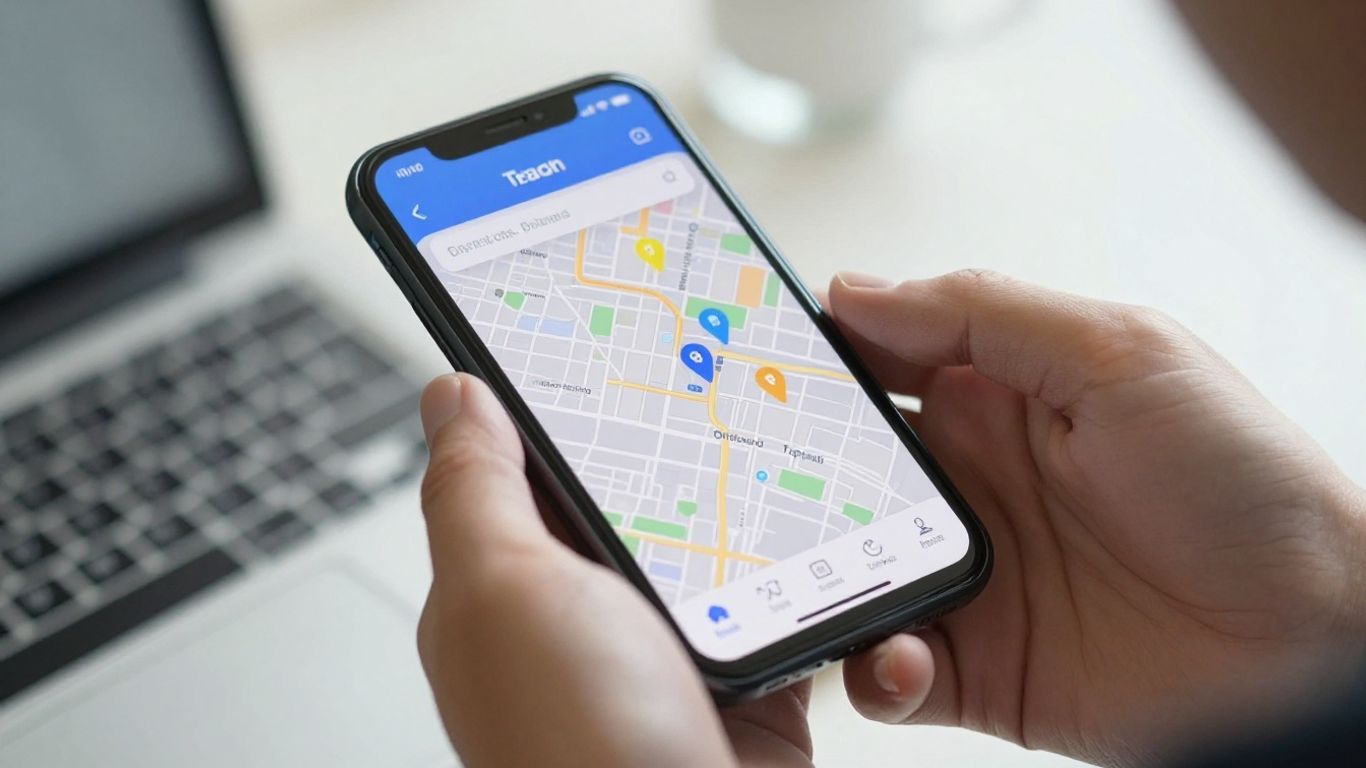
When you're trying to connect with local business owners, LinkedIn often feels like a dead end. That's where Google Maps steps in. It's a treasure trove of real-time business information, and when you know how to tap into it, you can build a much more accurate list of potential clients. Think of it as the ultimate directory, constantly updated by businesses themselves.
Scraping Real-Time Business Listings
Instead of relying on outdated databases, we can pull fresh data directly from Google Maps. This means you're getting information on businesses that are actually operating right now. Tools designed for this purpose can grab details like business names, addresses, phone numbers, and even website URLs. It's a much more direct way to see who's out there in your target area. This process is about getting the raw material for your outreach.
Defining Your Target Business Categories and Locations
This is where you get specific. You can't just search for "businesses." You need to narrow it down. Are you looking for plumbers in Austin, Texas? Or maybe dentists in Chicago? You define the category – like "HVAC contractors" or "landscaping services" – and then the specific geographic area. This filtering is key to getting a relevant list. You can even add more filters if you need to get even more precise, like excluding certain types of businesses within a broader category.
Previewing and Exporting Your Business List
Once you've set your search parameters, you can get a preview of what you'll find. The system will give you an estimate of how many businesses match your criteria. Then, you decide how many you want to export. It's important to know that you might get slightly fewer results than you request; that's normal and just means there weren't quite that many matching businesses in the area. After a short wait, your list is ready. You can then review it to make sure it looks clean and contains valid entries. This raw list is the first step, and it's surprisingly quick to get, often taking just a minute or two for a couple hundred businesses. This is where you can start to see the potential, and tools like Outscraper's Google Maps Scraper can help speed this up.
The real power here is moving beyond generic searches. By precisely defining your target categories and locations, you ensure the data you collect is directly relevant to your outreach goals. This focused approach cuts down on wasted effort and significantly increases the chances of finding the right businesses to connect with.
Enriching Your Data for Effective Outreach
Okay, so you've got your list of businesses from Google Maps. That's a great start, but it's just the raw ingredients. To actually connect with the right people, you need more. This is where data enrichment comes in, and it's a step that many people skip or mess up, which is why their outreach falls flat.
Identifying the Right Contact Person
When you're reaching out to local businesses, who do you actually want to talk to? Most of the time, it's the owner. They're the ones who make the decisions, right? LocalPipe lets you specify this. You can go for the default 'Business Owner' option, which is usually the best bet for local service businesses like plumbers or electricians. Or, if your offer is specific, you can target a particular role, like a property manager or clinic administrator. Sometimes, you might even want to try a few different roles in a specific order – LocalPipe can handle that too, looking for your top choice first and then moving to the next if needed.
- Business Owner: The default and often the most effective target.
- Specific Title: For roles like 'Office Manager' or 'Head of Operations'.
- Multiple Titles (Waterfall): A ranked list of roles to try in order.
Gathering Essential Owner and Business Emails
Once you know who you want to reach, you need to know how. This means getting their contact information. The goal is to get direct owner emails, not just generic 'info@' addresses. While a general business email can still be useful, a direct line to the owner is gold. LocalPipe aims to provide verified owner names and their direct email addresses. This allows for that personal touch that makes a huge difference in cold outreach. Think about it: an email addressed to 'Dan' from 'Austin Plumbing' feels a lot more personal than one sent to 'info@austinplumbing.com'.
Getting the right contact details is more than just filling a field in a spreadsheet. It's about respecting the business owner's time and making sure your message actually gets seen by the person who can act on it. Generic emails often get lost in the shuffle or are handled by staff who aren't the final decision-makers.
Understanding Fallback Modes for Broader Coverage
What happens if LocalPipe can't find the owner's direct email? That's where fallback modes are super helpful. If the direct owner email isn't available, LocalPipe can still provide the general business email. This is still way better than having no contact information at all. It means you can still get your message out there. You just need to adjust your approach slightly. Maybe your subject line or opening line acknowledges that you're reaching out to a general inbox, asking to be forwarded to the owner. It's about adapting your strategy based on the data you have, which is key to successful outreach.
The LocalPipe Workflow: From Search to Inbox
So, how does this all actually come together? It’s not some complicated, multi-step process that takes days. Honestly, it’s pretty straightforward. We’re talking about a workflow that gets you from a basic search to a list ready for outreach in just a few minutes. It’s designed to be fast and effective, cutting out a lot of the usual headaches.
A Three-Step Process for Lead Generation
The whole thing breaks down into three main stages. Think of it like an assembly line for finding local business owners. You start with a broad idea, refine it, and then get the exact contact details you need.
- Scrape Google Maps: This is where you define what you're looking for. You pick the type of business – say, plumbers or dentists – and the location, like a specific city or even a whole metro area. LocalPipe then pulls a list of businesses directly from Google Maps. This means you're getting current, real-world data, not some dusty old database. You can even add filters to get more specific if you need to. After a minute or two, you’ll have a list of businesses ready to go.
- Enrich with Contact Info: A list of business names is only half the battle. This step is all about getting the actual contact details. LocalPipe takes your scraped list and adds verified owner names and direct emails. You can choose to target the owner directly, or even a specific job title if that makes more sense for your offer. The goal here is to get you the name and email of the person who can actually make a decision.
- Export and Send: Once you have your enriched list, you just download it as a clean CSV file. This file is formatted perfectly to be uploaded straight into your email outreach platform. From there, you can start sending personalized messages. The whole pipeline, from the initial search to having a downloadable CSV, can realistically be done in under five minutes. It’s a pretty wild speed-up compared to older methods.
Achieving High Contactability Rates
What’s the big deal about this workflow? It’s all about making sure your messages actually reach the right person. By pulling data directly from Google Maps and then enriching it with verified owner information, you bypass a lot of the noise. You’re not sending emails to generic info@ addresses that might never get read by a decision-maker. Instead, you’re getting direct owner emails, which significantly boosts your chances of getting a reply. This is why tools like LocalPipe are changing the game for local outreach.
Personalizing Outreach with Verified Data
Having the owner's name and direct email isn't just about getting your message delivered; it's about making it personal. When you have that verified data, you can start every email with the owner's first name. You can even reference something specific about their business or their town. This kind of light personalization, which is basically free when the data is already in your CSV, makes a huge difference. Generic emails just don't cut it anymore, and this workflow makes personalization easy at scale.
The real win here is cutting through the clutter. Instead of guessing who to contact or sending emails into a void, you have a clear path to the decision-maker. This makes your outreach efforts so much more effective, saving you time and, honestly, a lot of frustration.
This whole process is designed to be efficient. You're not spending hours trying to find contact details or dealing with messy, outdated lists. It’s about getting clean, actionable data quickly so you can focus on what you do best – connecting with local business owners.
Why Traditional Methods Often Fail LocalPipe's Solution
Look, trying to find local business owners using the usual suspects often feels like searching for a needle in a haystack, and the haystack is on fire. You've got tools that are great for big corporations with active LinkedIn presences, but they completely miss the mark when it comes to the corner shop owner or the local plumber. It’s like using a fishing trawler to catch a goldfish – overkill and just not the right tool for the job.
The Problem with LinkedIn-Indexed Databases
Platforms like Apollo or ZoomInfo are built around data scraped from LinkedIn. That's fine if you're targeting a VP at a Fortune 500 company, but most local business owners? They're busy running their actual business, not updating their LinkedIn profile. This means these databases are structurally blind to a huge chunk of the market. You might search for plumbers in Austin and only get a handful of results, when in reality, there are hundreds. It's not that the data is bad; it's just that it's looking in the wrong place for this specific audience. You end up with a tiny fraction of your potential market, and often, the contact info isn't even for the owner.
The Noise and Inaccuracy of Generic Scrapers
Then you have the generic web scrapers. Sure, they can pull a lot of data from Google Maps, but what do you actually get? Often, it's a flood of info@ or contact@ email addresses. These are like the receptionists of the email world – they get a lot of mail but rarely the person who can actually make a decision. You might get a list of 500 businesses, but only 50 have a direct email, and even then, it might not be the owner's. It’s a lot of noise, and sorting through it to find a usable contact is a massive time sink. You're paying for data, but a lot of it is just unusable.
The Manual Workflow Bottleneck
Many businesses try to piece together a solution using multiple tools. Maybe they use a scraper for the initial list, then a separate tool for email finding, and then another for verification. This creates a complex, multi-step workflow that’s prone to errors and takes forever. Think about it: scraping, then enriching, then verifying, then exporting to your email platform. Each step is a potential point of failure, and doing it manually for hundreds or thousands of leads is just not sustainable. It’s a classic case of trying to fit a square peg into a round hole, and it usually ends with frustration and wasted effort. For businesses that need to reach local owners quickly, this manual process is a major roadblock, unlike the streamlined approach offered by LocalPipe.
The core issue with most traditional methods is a fundamental mismatch between the tool's design and the target audience. LinkedIn-based tools miss the offline-heavy local owner, while generic scrapers return low-quality, generic contact information. Both lead to wasted time and missed opportunities.
Maximizing Your Outreach with LocalPipe
Best Practices for Local Service Businesses
When you're working with local service businesses, like plumbers, electricians, or HVAC contractors, the sweet spot is usually the owner themselves. They're the ones making the big decisions, and often, they're the ones checking the emails. LocalPipe makes it easy to get right to them. You'll find that targeting the business owner directly, rather than a generic 'info@' address, really bumps up how many people actually read your message.
Here's a quick rundown of what works best:
- Target the Owner: Always aim for the business owner's name and direct email. This is your primary goal.
- Personalize Everything: Since you have the owner's name, use it! Start your emails with their first name. Mentioning something specific about their town or their type of business in the first sentence can make a big difference too. It shows you've done your homework.
- Handle Fallback Smartly: If LocalPipe can't find a direct owner email and has to use a general business email (like info@), adjust your approach. Try a subject line like "A quick note for the team" or ask to be forwarded to the owner. It's a small tweak, but it can help.
Scaling Your Campaigns Effectively
Once you've tested the waters with a smaller list, say 200 businesses, and you see good results, it's time to think bigger. The same process that worked for that small batch can be applied to thousands of businesses across multiple cities or even nationwide. LocalPipe is built for this kind of scale. You can pull lists of 10,000 plumbers, for example, and the workflow remains the same. Breaking down larger campaigns into manageable chunks is a smart move, so you can keep an eye on quality and response rates as you grow.
The Value of Direct Owner Contact
What really sets LocalPipe apart is its focus on getting you the direct contact information for the business owner. Traditional methods often get stuck with generic email addresses that might never reach the right person. This leads to a lot of wasted effort and low response rates. With verified owner emails, you're not just sending emails into the void; you're reaching the decision-maker directly. This dramatically increases the chances of your message being seen and acted upon. It's about quality over quantity, making sure every contact you have is a potential opportunity.
The real advantage here isn't just having more data; it's having the right data. When you can bypass the gatekeepers and speak directly to the person who can say 'yes,' your outreach efforts go from a shot in the dark to a targeted conversation. This is the core reason why focusing on direct owner contact information is so important for local businesses.
Wrapping It Up
So, we've seen how trying to find local business owners on platforms like LinkedIn can be a real headache. It's often a dead end because many of these owners just aren't active there. You end up wasting time and getting frustrated. But there's a better way. Tools like LocalPipe.io are built specifically for this. They let you quickly pull lists of local businesses directly from Google Maps and then find the actual owner's contact information. This means you can actually reach the right person without all the usual hassle. If you're serious about connecting with local business owners, skipping the LinkedIn struggle and using a dedicated tool like LocalPipe is the way to go.
Frequently Asked Questions
Why is it hard to find local business owners on LinkedIn?
LinkedIn is great for finding people who are active on the platform for their jobs. But many local business owners, like plumbers or small shop owners, don't spend much time on LinkedIn. They're busy running their businesses. So, LinkedIn often doesn't have their contact info or even a profile.
What's the main problem with trying to find local business contacts?
The biggest issue is getting the right contact information. Many tools give you general emails like 'info@' or 'contact@', which might not reach the owner. Plus, finding the actual owner's name and direct email can be tough because they aren't always online or easy to find through standard business directories.
How does LocalPipe help find local business owners?
LocalPipe uses Google Maps to find local businesses. It then finds the owner's name and a direct email address for them. It's like having a super-fast assistant who can search maps, find the right person, and get their contact details so you can reach out directly.
Why are tools like LinkedIn not good for finding local business owners?
LinkedIn focuses on people who use it for professional networking. Many local business owners are focused on their day-to-day work and don't update profiles or use LinkedIn much. This means their information isn't usually there or is out of date, making it hard to connect.
Can LocalPipe find emails for businesses that don't have a website?
Yes, LocalPipe is designed to find contact information even for businesses that might not have a website or a strong online presence. It focuses on data available through sources like Google Maps listings, making it easier to connect with a wider range of local businesses.
How fast can I get a list of local business owners using LocalPipe?
You can go from searching for businesses on Google Maps to having a list of owners' names and emails ready to send in about 5 minutes. It's a quick process that helps you get your message to the right people much faster than traditional methods.