How to Scrape Google Maps for Business Leads: A Guide with LocalPipe Integration
Learn how to scrape Google Maps for business leads with LocalPipe. This guide covers data acquisition, enrichment, and optimizing your outreach for maximum results.

Looking for new clients? You know, those local businesses that are everywhere but hard to reach? Well, there's a way to find them. We're going to talk about how to scrape Google Maps for business leads, and how a tool called LocalPipe makes it way easier. It's not as complicated as it sounds, and it could really help you find more people to talk to.
Key Takeaways
- Google Maps holds a ton of useful business information, perfect for finding potential clients.
- LocalPipe helps you pull this data directly from Google Maps, giving you current lists of businesses.
- Simply scraping isn't enough; you need contact details, which LocalPipe adds for you.
- A simple three-step process—scrape, enrich, and export—makes lead generation fast.
- Focusing on the right kind of local business and personalizing your outreach makes a big difference.
Leveraging Google Maps For Business Lead Generation
Understanding the Value of Google Maps Data
Think about it: when someone needs a local service, where do they usually turn first? For most people, it's Google Maps. They're looking for a plumber, a restaurant, or a mechanic, and they type it into the search bar. What pops up? A list of businesses, often with reviews, addresses, and phone numbers. This is a goldmine for lead generation. These aren't just random businesses; they are actively being searched for by potential customers right now. This means the data is fresh and relevant. Unlike static lists that get outdated quickly, Google Maps data reflects real-time demand. It's a direct line to businesses that people are actively seeking out.
Identifying Target Business Categories
So, how do you actually use this? First, you need to figure out who you want to reach. Are you selling marketing services to dentists? Offering IT support to law firms? Or maybe you're providing cleaning services to restaurants? You need to pick a category. It's best to start with a specific niche. Trying to target everyone is like trying to catch fish with a net full of holes – you won't catch much. Think about local service businesses, the ones that people search for when they need something done right away. These often include:
- HVAC contractors
- Electricians
- Plumbers
- Landscapers
- Dentists
- Small law firms
Focusing on these types of businesses means you're looking at owners who are likely directly involved in the day-to-day operations and decision-making. This makes them more accessible and more likely to be interested in services that can help their business grow.
Defining Geographic Search Parameters
Once you know what kind of business you're looking for, you need to decide where you're looking. Are you targeting businesses in your local city? A specific state? Or maybe you're looking to expand into several major metropolitan areas across the country? You'll want to define your search area. For example, if you offer services to businesses in the greater Austin, Texas area, you'd input "Austin, Texas" into your search. If you're aiming for a broader reach, you might search multiple cities or even entire states. This step is pretty straightforward, but it's important for keeping your lead generation focused and manageable. You can use tools to help you scrape Google Maps for specific locations and categories, making the process much more efficient than manual searching.
The key here is to be specific. A well-defined target audience and geographic area will save you a lot of time and effort down the line. It ensures that the leads you generate are relevant to your business and more likely to convert into actual customers. Think of it as setting the stage for successful outreach, making sure you're talking to the right people in the right places.
Using Google's tools, like those found in Local Service Ads, can also give you insights into what potential customers are searching for in specific areas, further refining your targeting strategy.
The LocalPipe Advantage in Data Acquisition
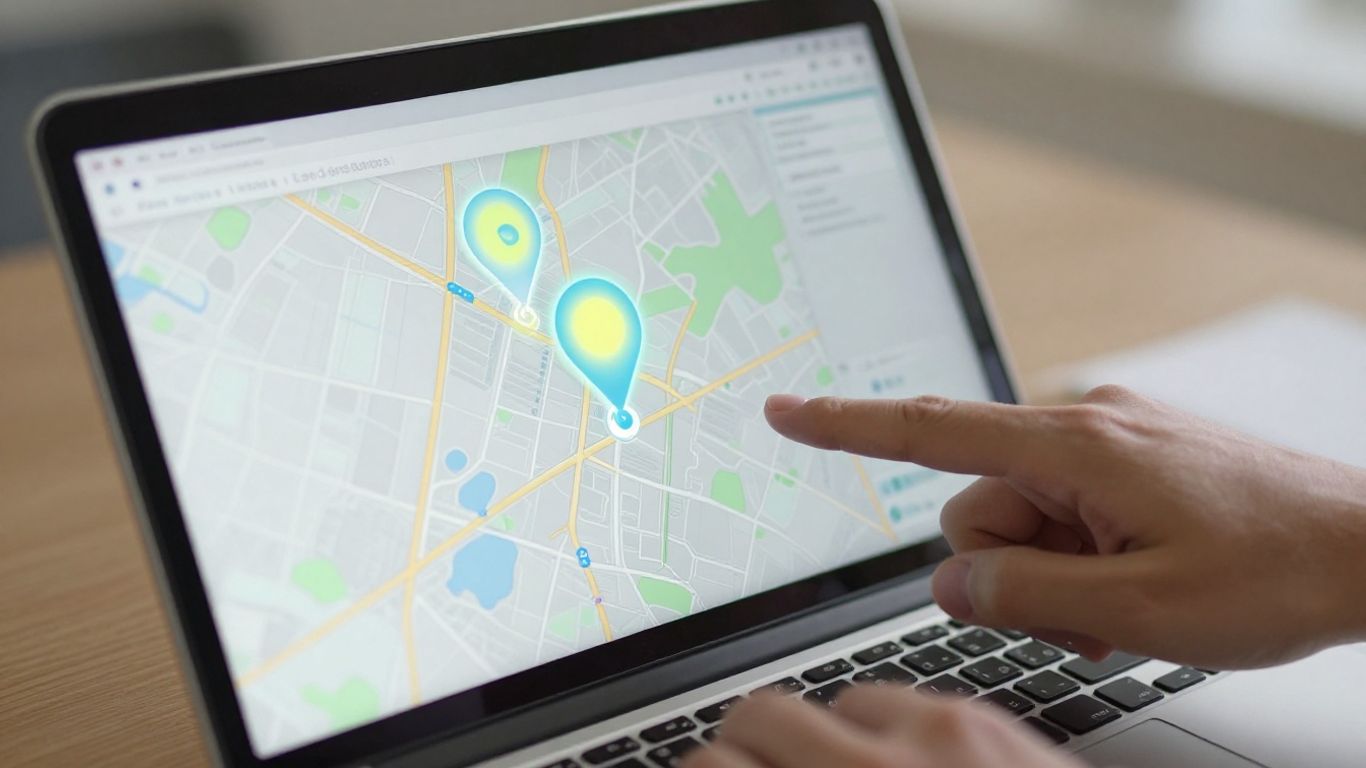
So, you've figured out what kind of businesses you want to reach and where they are. That's great! But how do you actually get that list of businesses? Relying on old, static databases is like trying to catch fish with a net full of holes – you'll miss most of them. This is where LocalPipe really shines.
Seamless Google Maps Scraping with LocalPipe
LocalPipe pulls business data directly from Google Maps. Think about it: Google Maps is constantly updated. When a business opens, closes, or changes its details, Google usually knows. LocalPipe taps into this live information, giving you a much more accurate picture than any pre-compiled list could offer. You just tell it the type of business and the location, and it goes to work.
- Define Your Target: Pick your business category (like "plumbers" or "HVAC contractors").
- Set Your Location: Enter the city or region you're interested in.
- Refine with Filters: Add extra details if you need to narrow things down even further.
This direct connection to Google Maps means your leads are fresh, not fossilized. It's a pretty big deal when you're trying to reach businesses that are actively operating and looking for services.
Real-Time Data Versus Stale Databases
Let's be real, old lists are a problem. They might have businesses that have moved, closed down, or changed their contact info entirely. You end up wasting time and resources chasing ghosts. Google Maps data, accessed through a tool like LocalPipe, is as close to real-time as you can get for local business information. This live scraping is a game-changer for lead generation accuracy. It's like using a GPS that updates traffic in real-time versus a paper map from ten years ago. You wouldn't plan a road trip with a paper map, so why plan a sales outreach with outdated data?
Previewing and Exporting Business Lists
Before you commit to downloading a huge list, LocalPipe lets you preview what it finds. It'll give you an estimate of how many businesses match your search criteria. For example, searching for plumbers in Austin might show an estimated range of 350 to 600 businesses. You can then choose how many you want to export, say 200. After a minute or two, your list is ready. It's saved in your dashboard, so you can always come back to it. You'll get a clean list of businesses, ready for the next step. This process is designed to be quick and efficient, getting you the raw data you need without a lot of fuss. It's a straightforward way to build your initial prospect list, and you can even see how pipe lining methods offer superior accuracy in complex systems, much like how LocalPipe offers accuracy in data acquisition.
The ability to get current business data directly from the source, rather than relying on outdated directories, significantly improves the quality of your outreach efforts. It means fewer bounced emails and more connections with active businesses.
Enriching Scraped Data for Effective Outreach
So you've got a list of businesses from Google Maps, which is a great start. But just having a business name and address isn't enough to actually connect with anyone, right? That's where data enrichment comes in. It's like taking a raw ingredient and turning it into a finished meal – you need to add the right stuff to make it useful.
The Necessity of Contact Information Enrichment
Think about it: you can't exactly send a cold email to "Acme Plumbing" without knowing who to address it to or where to send it. You need a specific person and their direct email. This is the core job of enrichment. It takes that basic business listing and digs deeper to find the actual contact details. Without this step, your scraped list is just a bunch of names on a page, not a list of potential leads you can actually reach out to. It's the bridge between finding a business and starting a conversation.
The goal here is to move beyond generic "info@" addresses and find the direct line to the person who can make decisions. This significantly boosts the chances of your outreach actually being seen and acted upon, rather than getting lost in a digital void.
Targeting Business Owners and Specific Roles
When you're enriching data, you have choices about who you're trying to find. For most local service businesses, the owner is usually the best person to talk to. They're the ones calling the shots, so your message lands directly with the decision-maker. However, sometimes you might need to reach someone else. Maybe you're selling software to office managers, or you need to connect with a property manager for a building maintenance service. LocalPipe lets you specify these roles. You can even set up a "waterfall" where it tries to find the owner first, and if that doesn't work, it looks for another specific role you've listed. This flexibility is key to making sure your outreach hits the right mark.
Here’s a look at the targeting options:
- Business Owner: The default and often the most effective target for local businesses.
- Specific Title: Target roles like 'Clinic Administrator', 'Operations Manager', or any other title relevant to your offer.
- Multiple Titles (Waterfall): A ranked list of roles. The tool tries to find the first title, then moves to the next if the first isn't found.
Selecting Essential Contact Data Points
Once you know who you want to reach, you need to decide what information is actually useful for your outreach. You don't want to pay for data you'll never use, right? For a standard cold email campaign, the absolute must-haves are:
- Business Owner Name: This is for personalization. Addressing someone by name makes your email feel less like spam.
- Business Owner Email: This is the direct email, like
dan@austinsplumbers.com, not a genericinfo@address. This is what gets your message directly to the person you want to talk to. - Business Email: Sometimes the general
info@orcontact@address is all you can get. It's still useful, as the owner might be the one checking it. - Business Owner Phone: This is optional but super helpful if you plan on making follow-up calls. Having the direct mobile number is a big plus for phone outreach.
Choosing the right data points means you're not just collecting information; you're building a targeted list ready for effective communication. This whole process of adding details to your scraped leads is what makes them truly valuable for your sales efforts. It's about turning raw data into actionable intelligence, which is exactly what Openmart's Data Enrichment service aims to provide.
Optimizing Your Lead Generation Workflow
Alright, so you've got your list of businesses from Google Maps, and maybe you've even run them through LocalPipe to get some contact details. That's awesome! But how do you make sure this whole process actually works for you, day in and day out? It's all about setting up a system that's smooth and efficient.
Understanding Fallback Mode for Broader Coverage
Sometimes, LocalPipe won't be able to find a direct email for the business owner. That's where "fallback mode" comes in. Instead of just giving up, it might pull a general info@ email address or a contact form link. This is super important because it means you don't miss out on potential leads just because the perfect contact isn't available. You can still reach out, but you'll need to adjust your message a bit. Think of it like this:
- Direct Owner Email: "Hi John, I saw your plumbing business..."
- Fallback Email (
info@): "Hi Team, I'm reaching out to the plumbing business..."
It's a small change, but it makes a big difference in how your email is received. You're acknowledging that you might not be talking directly to the owner, and that's okay. It's better than sending nothing.
Best Practices for Picking the Right Niche
Not all businesses are created equal when it comes to lead generation. You'll get the best results if you focus on specific types of local businesses. Think about service-based businesses where the owner is usually the main decision-maker. This could be:
- Plumbers
- HVAC contractors
- Electricians
- Landscapers
- Dentists
- Small law firms
These are the kinds of places where the owner likely handles their own emails, meaning your message has a much better chance of landing directly with the person who can say 'yes'. Trying to reach a giant corporation is a whole different ballgame, and usually not as effective for this kind of outreach. Focusing your efforts makes your outreach much more effective. Learn more about lead generation.
Personalizing Outreach at Scale
Okay, so you've got a list, and you've got contact info. Now what? Don't just blast out the same generic email to everyone. That's a surefire way to get ignored. Since you've got the owner's name (thanks, LocalPipe!), use it! Start your emails with their first name. Even better, try to include a small detail about their specific business or their town in the first sentence. It doesn't have to be a novel; just a quick mention shows you've done a little homework. This kind of light personalization can seriously boost your reply rates compared to emails that sound like they were sent by a robot. It's about making a connection, not just sending a message. This is a key part of effective lead generation.
Streamlining the Lead-to-Outreach Pipeline
So, you've got your list of businesses from Google Maps, and you've added all the contact details. What's next? It's all about making this process smooth so you can actually start talking to people. Think of it like an assembly line for leads.
The Three-Stage LocalPipe Workflow
LocalPipe really breaks this down into three simple steps. It's designed to be quick, so you're not spending days just getting ready to send an email. Here’s how it generally works:
- Scrape Google Maps: This is where you pull the initial list of businesses based on what you're looking for and where. You define the category (like 'plumbers' or 'dentists') and the location (like 'Austin, Texas'). LocalPipe grabs this data directly, so it's fresh.
- Enrich with contact info: Once you have your list, the next step is adding the actual contact details. LocalPipe finds the business owner's name and their direct email address. This is super important because you want to reach the person who can make decisions, not just a general inbox.
- Export and send: After enrichment, you download your list as a clean CSV file. This file is ready to be uploaded straight into your email outreach tool. You can then start sending out your personalized messages.
Achieving Rapid Lead Generation Timelines
What's really neat about this whole process is how fast it can be. We're talking about potentially getting a fully enriched list of leads in under five minutes. Imagine scraping 200 businesses, enriching them, and having a CSV ready to go, all within the time it takes to grab a coffee.
Here’s a quick look at the timing:
| Stage | Action | Typical Time |
|---|---|---|
| 1 | Define target and scrape 200 leads from Maps | 1–2 min |
| 2 | Enrich with owner names and emails | 2–3 min |
| 3 | Download CSV and push to email platform | < 30 sec |
| Total | ~ 3.5 min |
This speed means you can react quickly to market changes or test new lead generation ideas without a huge time investment. It’s a big change from older methods that took days or weeks.
Saving and Reusing Enriched Lead Lists
Don't think you have to start from scratch every time. Every list you scrape and enrich is saved in your LocalPipe dashboard. This is a lifesaver because you don't want to waste credits re-enriching the same businesses over and over. If you need that list again, just download it from your saved 'Enriched Lists'. It’s like having a reusable template for your outreach efforts. This saves time and money, making your whole operation more efficient. You can even break down larger pulls into smaller, city-sized chunks to manage your outreach better and personalize by region, which is a smart move for scaling your campaigns.
The real win here is turning raw data into actionable contacts incredibly fast. It moves you from prospecting to outreach in minutes, not days. This speed is what allows for consistent, high-volume campaigns without getting bogged down in the technical details of data collection and verification. It’s about getting the right information to the right people, quickly and efficiently.
This streamlined approach means you spend less time fiddling with data and more time actually talking to potential clients. It’s a game-changer for anyone serious about local lead generation.
Advanced Strategies for Scaled Outreach
Breaking Down Large Data Pulls
When you're ready to go big, pulling thousands of leads at once can feel a bit overwhelming. Instead of trying to grab everything in one massive go, it's smarter to break it down. Think about pulling leads city by city, or even by neighborhood if you're in a huge metro area. This makes the data more manageable and, importantly, allows for better personalization later on. You can tailor your outreach messages to specific regions, which always performs better than a generic blast. It’s like sending a postcard to a friend versus a mass flyer – one feels personal, the other, not so much.
Utilizing Fallback Data Wisely in Communications
Sometimes, you won't get the direct owner's email. That's where fallback mode comes in, often giving you a general 'info@' or 'contact@' address. Don't just toss these leads aside. Instead, adjust your approach. When you email a generic address, tweak your subject line and opening. Instead of addressing it to a specific person, try something like "A quick note for the team" or "Reaching out to the owner." This acknowledges you're not sure who will read it first and increases the chance your message gets to the right person. It’s about adapting your message to the data you have.
Scaling Your Campaigns Beyond Initial Tests
Once you've tested the waters with a smaller batch of leads, say 200 or so, and seen good results, it's time to scale up. The workflow you used for that initial test is the same one you'll use for thousands. Just remember to stagger your sends. Most email platforms have daily sending limits, and hitting those too hard can get your emails flagged as spam. Sending in smaller, consistent batches over time is key to maintaining deliverability and keeping your campaigns running smoothly. This methodical approach helps avoid issues and keeps your outreach effective. Businesses and marketers leverage Google Maps scraping to gather valuable leads, conduct competitor analysis, and enhance data-driven growth strategies.
| Metric | Target | Notes |
|---|---|---|
| Initial Test Batch | 200 leads | Validate niche and outreach message |
| Scaled Pull Size | 1,000 - 5,000 leads | Per city or region |
| Daily Send Limit | Varies by platform | Stagger sends to maintain deliverability |
| Personalization | Regional references | Improves response rates |
When you're dealing with large volumes of leads, remember that quality and relevance still matter. Breaking down your data pulls and tailoring your communication based on the information you have, even fallback data, makes your outreach far more effective than a one-size-fits-all approach. It’s about being smart with your resources and your message.
Wrapping It Up
So, we've walked through how to grab a list of local businesses straight from Google Maps and then get the contact details you actually need. It’s pretty straightforward, especially when you use a tool like LocalPipe. Instead of spending hours trying to piece together different services, you can get a clean list of potential clients, complete with owner names and emails, in just a few minutes. This makes reaching out to new businesses much simpler and more effective. If you're looking to grow your client base by connecting with local businesses, giving this process a try is definitely worth it.
Frequently Asked Questions
What is Google Maps scraping?
Google Maps scraping is like using a special tool to automatically collect information about businesses listed on Google Maps. Think of it as copying and pasting details from many business listings really fast, without having to do it yourself. This helps you find potential customers, like plumbers or restaurants, in a specific area.
How does LocalPipe help with scraping Google Maps?
LocalPipe makes grabbing that business information super easy. Instead of you doing the hard work, LocalPipe does the scraping for you directly from Google Maps. It’s like having a personal assistant who quickly gathers all the business details you need, so you don't have to.
Why is it important to get contact information for businesses?
Just knowing a business exists isn't enough to connect with them. You need to find out who to talk to, like the owner or manager, and get their email or phone number. This is crucial for reaching out, sharing your services, and potentially making them a customer. LocalPipe helps find this important contact info.
What does 'enriching data' mean?
Enriching data means taking the basic information you scraped (like the business name and address) and adding more useful details to it. For example, LocalPipe can add the owner's name and their direct email address. It's like adding a phone number and email to a name in your contact list, making it much easier to get in touch.
What is 'fallback mode' and why is it useful?
Fallback mode is a clever setting that helps you get more contact information. If LocalPipe can't find the business owner's direct email, it might try to find a general company email (like info@business.com). This ensures you still have a way to reach out, even if you can't get the specific person's details right away. It helps you reach more businesses overall.
How quickly can I get leads using this method?
With tools like LocalPipe, you can go from searching for businesses on Google Maps to having a list of leads with contact information in just a few minutes. The whole process is designed to be fast, so you can start reaching out to potential customers much quicker than traditional methods.